
Key takeaways
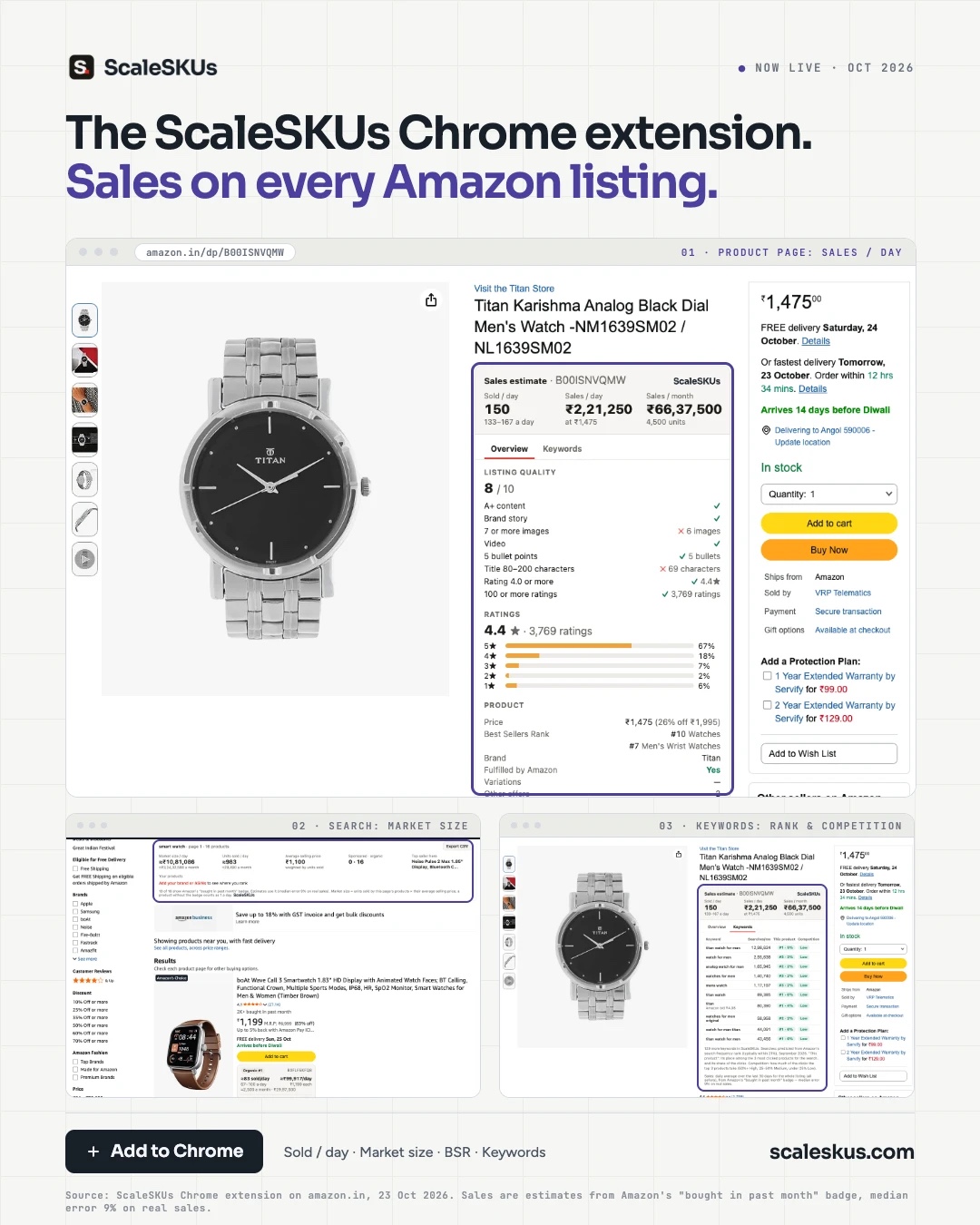
- The ScaleSKUs Chrome extension shows what any Amazon.in product sells, right on the Amazon page: sold per day and monthly sales.
- On a search page it adds up the whole page: the market size of that search, its average selling price and its top seller.
- On a product page it shows the Best Sellers Rank, a listing quality score out of 10, the ratings breakdown and the keywords the product ranks for, with their competition.
- It is free on the Chrome Web Store. Sign in with Amazon or Google to see every estimate.
What’s new
The ScaleSKUs Chrome extension is live on the Chrome Web Store. Open any search or product on Amazon.in and it shows what each product actually sells, without leaving the page. No spreadsheets, no separate research tool: the numbers sit next to the listing you are looking at.
What it shows
On every product
- Sold per day, with a range, and sales per day and per month in rupees at the current price.
- Best Sellers Rank in the main category and the sub-category.
- A listing quality score out of 10: A+ content, brand story, images, video, bullet points, title length, rating and number of ratings, each marked as met or not.
- The ratings breakdown: the share of 5-star to 1-star ratings.
On every search
- Market size: what all the products on the page sell a day and a month together.
- The average selling price and the top seller of that search.
- An estimate on every result card, so you can compare products at a glance.
Keywords
- The keywords a product ranks for, with their search volume and how much competition each one has.
Where the numbers come from
Sales are estimated from Amazon’s own “bought in past month” badge, the number Amazon shows on listings. Checked against real sales, the estimate has a median error of 9%. They are estimates for the whole listing, all sellers together, as a daily average over the last 30 days. In a search’s market size, a product that does not show the badge counts as one sale a day.
How to get it
- Add ScaleSKUs to Chrome from the Chrome Web Store. It is free.
- Sign in with Amazon or Google. Nothing in your Amazon account changes: the sign-in only identifies you to ScaleSKUs.
- Open any search or product on Amazon.in.
The extension works on Amazon.in today.
Sell on Amazon yourself?
The extension shows estimates for any product. Connect your own Amazon account to ScaleSKUs and you see your real numbers instead: your ads, sales and profit in one place, automation for bids and budgets, and an AI analyst in ChatGPT or Claude. The first 14 days are free.
About ScaleSKUs
ScaleSKUs is built by Artallur Technologies India LLP, an Amazon Ads Verified Partner working with Amazon sellers and brands since 2019. Ads for 500+ brands run on ScaleSKUs.